
Keep track of the money you lend out.
Have you lent money out? PayDay remembers who owes what and when it is due back, and reminds the borrower for you.


Sound familiar?
Lending money is easy. Keeping track of it afterwards is harder.
The agreement gets forgotten
How much was it, and when was it due back? After a few months it is hard to remember exactly.
Chasing payment feels awkward
Nobody likes reminding someone that they owe money. So it often doesn't happen.
The overview is scattered
Amounts and payments are spread across messages, notes and memory. Nobody has the full picture.
PayDay takes care of it
One calm overview, so you don't have to keep track of it all yourself.
Everything in one place
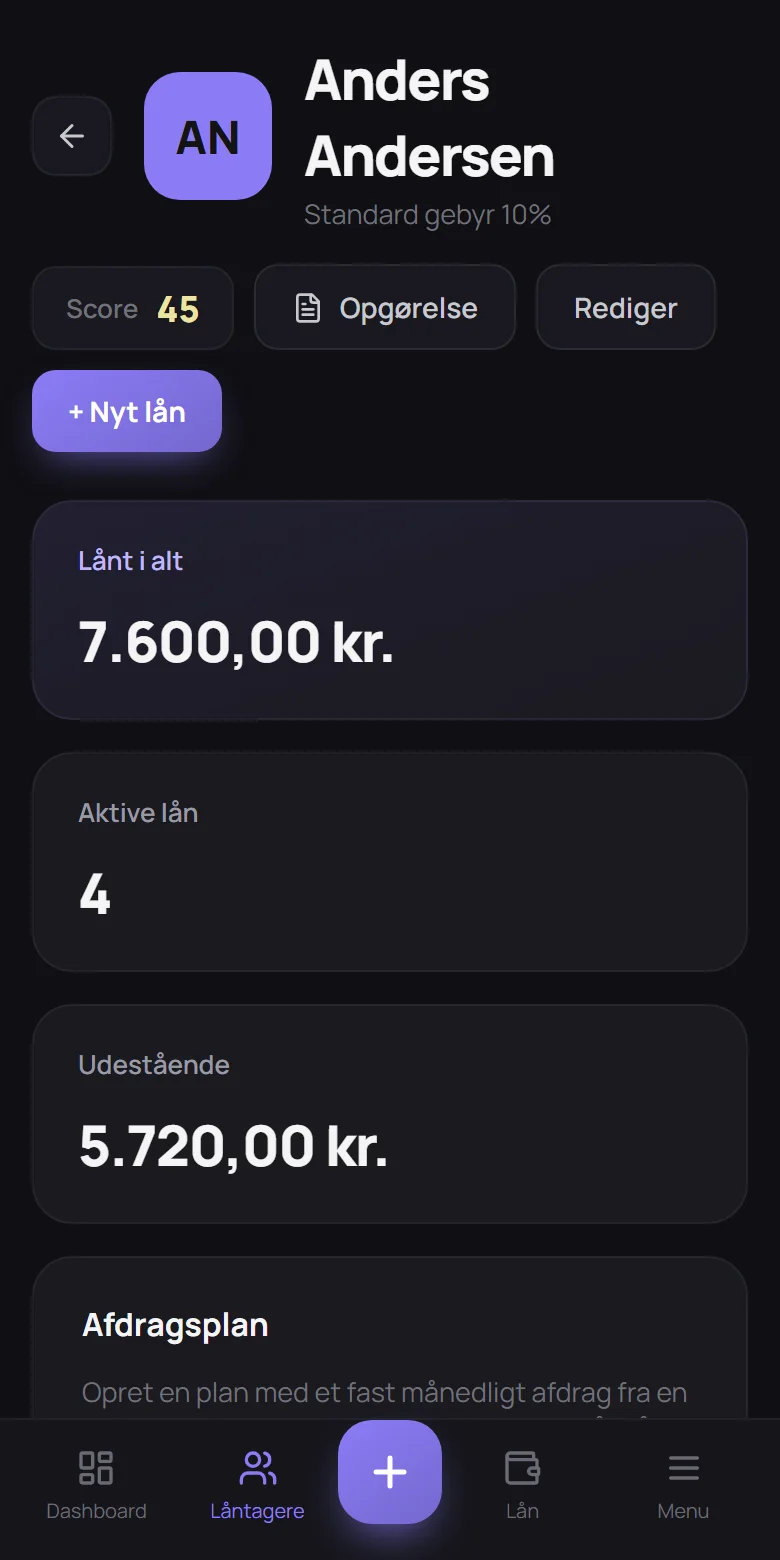
Every loan, every payment and what is still owed, gathered per person. You always know where you stand.
Reminders that send themselves
PayDay can remind the borrower in good time and send a friendly nudge if the payment is forgotten. So you don't have to.
Agreements that fit everyday life
The full amount at once, a fixed amount each month or no fixed date. If a payment can't be made on time, it can be postponed.
Clear statements
A monthly statement shows what is due and why. Download it as a PDF and pass it on.
The borrower can follow along
Give the borrower their own page with loans and payments. They can see everything but not change anything.
Share the overview with others
If you lend money together, several people can use the same overview. You decide who is in.
Overview
See at a glance where you stand.
How much is lent out, how much has come back, and what is still missing? The overview shows it in numbers and charts, and you can see who pays on time.


Statements
A statement that explains itself.
Each month you can create a statement showing what the borrower needs to pay and what the amount covers. Send it as a PDF, or let the borrower see it on their own page.
Reminders
You don't have to chase anyone.
PayDay can send the borrower a friendly reminder a few days before a payment, a receipt when the money arrives, and a nudge if the payment is forgotten. You get a short overview every month. You choose what is sent, and to whom.

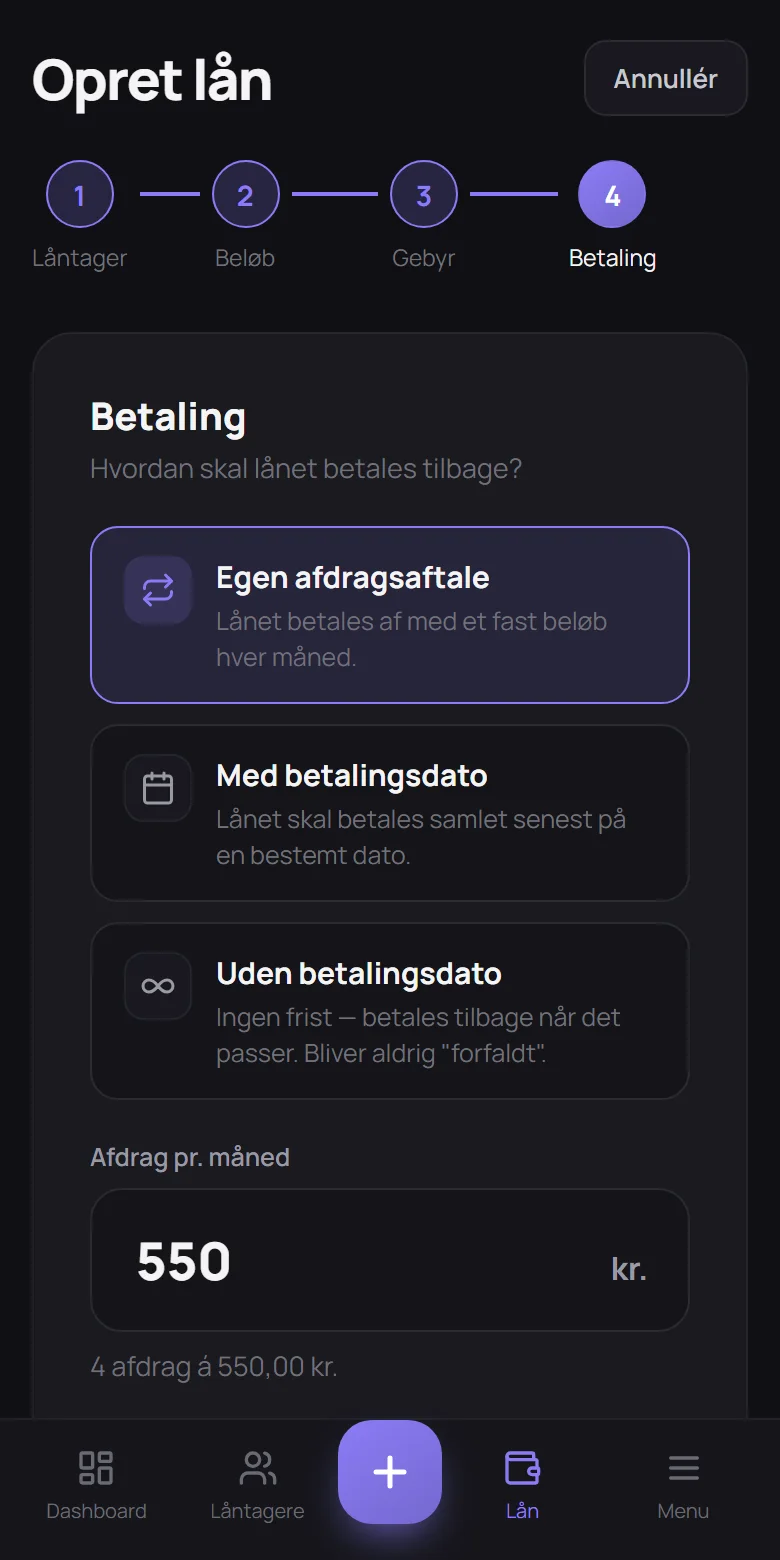
How it works
A loan is added in a minute.
Choose the person
Pick someone you have lent to before, or add someone new.
Enter the amount
How much was lent? Add a fee if you like.
Choose how it is paid back
In one go on a set date, a fixed amount each month or no fixed date.
PayDay keeps an eye on it
You get the overview, and the borrower gets reminders if you want.
Payment score
See who you can count on.
Every borrower gets a score from 0 to 100. Everyone starts at 50. The score goes up when payments are on time and down when they are late. So you know how it has gone before you lend again.
Peace of mind
Your agreements are in safe hands.
Your numbers are private
Only you and the people you invite can see your loans. Passwords are stored so nobody can read them, and every overview is kept apart from all others.
PayDay never moves money
PayDay is an overview, not a bank. The money goes directly between you, as it always has. PayDay just keeps track of it.
Always at hand
Use PayDay on your phone, tablet or computer, and add it to your home screen like an app. In Danish, Swedish, Norwegian and English.
Questions
Good to know
What is PayDay?
A simple overview of the money you lend out: who owes what, when it is due back, and whether it gets paid.
Does PayDay move money?
No. The money goes directly between you, as it always has. When a payment is made, you note it in PayDay, even if it is only part of the amount.
Can the borrower see their own loans?
Yes, if you want. You send a link, and the borrower gets their own page with loans, payments and statements. They can see everything but not change anything.
Does the borrower hear about payments?
If you want. PayDay can send a reminder before a payment, a receipt and a friendly nudge. You decide what is sent, also for each person.
What if a payment can't be made on time?
Then the payment can be postponed by one or more months, fully or partly. It is noted down, so you can both see what was agreed.
Can several people use the same overview?
Yes. Invite the people you want to share the overview with, using a link or a code. You decide who is in.
Can I get my numbers out?
Yes. You can download statements and lists as PDF or Excel at any time.
Does it work on my phone?
Yes. PayDay works on phones, tablets and computers and can be added to your home screen like an app.
Get started in under a minute.
Creating an account is free. You can always invite others later.